Giveaway Bot
Post a giveaway to a Discord channel. Members enter with one click, and Vulcan draws the winners when it ends and announces them in the channel. Giveaways are free on every plan.
Before you start
Vulcan must be able to view the channel, send messages and embed links in the channel where the giveaway is posted. To ping @everyone, @here or a role that isn't mentionable when a giveaway is posted, Vulcan also needs Mention Everyone in that channel. Check your channel permission overrides; see Getting Started for how to set channel permissions.
Members need at least one Ethereum wallet linked to their Vulcan account to enter. Their wallet address is what you receive for each winner.
How the bot works
- Posting. At the start time, Vulcan posts the giveaway in your channel, optionally mentioning a role. The message shows the prize, the end time, the number of entries and the number of winners.
- Entering. Members press 🎉 Enter. Vulcan checks the entry requirements (required role, or NFT holdings) at that moment and works out their number of entries (bonus roles, or one entry per NFT held). Entries close at the end time.
- Drawing. At the end time, Vulcan picks winners at random. Each entry is a ticket, so a member with 3 entries is three times as likely to be picked as a member with 1.
- Rechecking winners. Each picked winner is checked again against the giveaway's requirements. Anyone who no longer qualifies is disqualified and automatically replaced by another random entry, then that replacement is checked too. It works like an automatic reroll, and it repeats until you have your full number of winners or run out of eligible entries.
- Announcing. The giveaway message is updated to list the winners, and a congratulations message mentions (and pings) every winner.
Vulcan checks for due giveaways every minute, so a giveaway is posted and drawn within about a minute of its start and end times.
What gets rechecked at the draw
| Giveaway uses | A picked winner is disqualified if they... |
|---|---|
| A required role | no longer have the role, or have left the server |
| Bonus entries by role | no longer have a bonus role that gave them extra entries, or have left the server (members who entered without a bonus role aren't rechecked) |
| An NFT collection | no longer hold any items from the collection |
| None of these | (nothing is rechecked) |
For an NFT collection, a winner who still holds some items but fewer than they entered with is not disqualified. Their chances are lowered to match what they hold now, and the pick is redone fairly, as if they had entered with their current holdings.
Frequently asked questions
Does Vulcan disqualify entrants who stop meeting the requirements before the draw? Only if they're picked. Vulcan doesn't recheck every entrant; it rechecks each winner at the moment they're picked. A member who loses a role mid-giveaway keeps their entry, but can't win unless they have the role back by the draw. A picked winner who fails the recheck is disqualified and replaced automatically. You don't need to reroll by hand.
What if Discord or the NFT data is down when the giveaway ends? Vulcan never disqualifies someone because it couldn't check them. It waits and tries the draw again a few minutes later, and nothing is saved until the checks succeed.
What if there aren't enough eligible entries? Vulcan draws as many winners as it can, and the results say "Only X of Y winners could be drawn". If nobody is eligible, it posts that no winners were drawn.
Do disqualified or replaced members show up anywhere? Yes. On the giveaway's entries page, their status is Disqualified.
Creating a giveaway from the dashboard
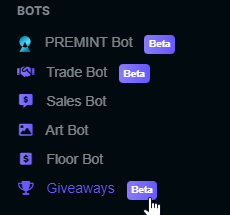
Open Giveaways in the left-hand menu of your Vulcan dashboard.
- Select New Giveaway, then enter a name (the prize), an end time and the number of winners (1–100). Times are shown in your timezone.
- Select Review & Confirm, then pick the channel to post it in, and optionally who to mention when it's posted: @everyone, @here, or any role (for example, a Giveaways role). Vulcan remembers the channel and mention you used last.
- To add entry rules or a later start time, select Advanced settings (see below).
- Select Launch Giveaway. It is posted straight away, or at its start time if you set one in the future.
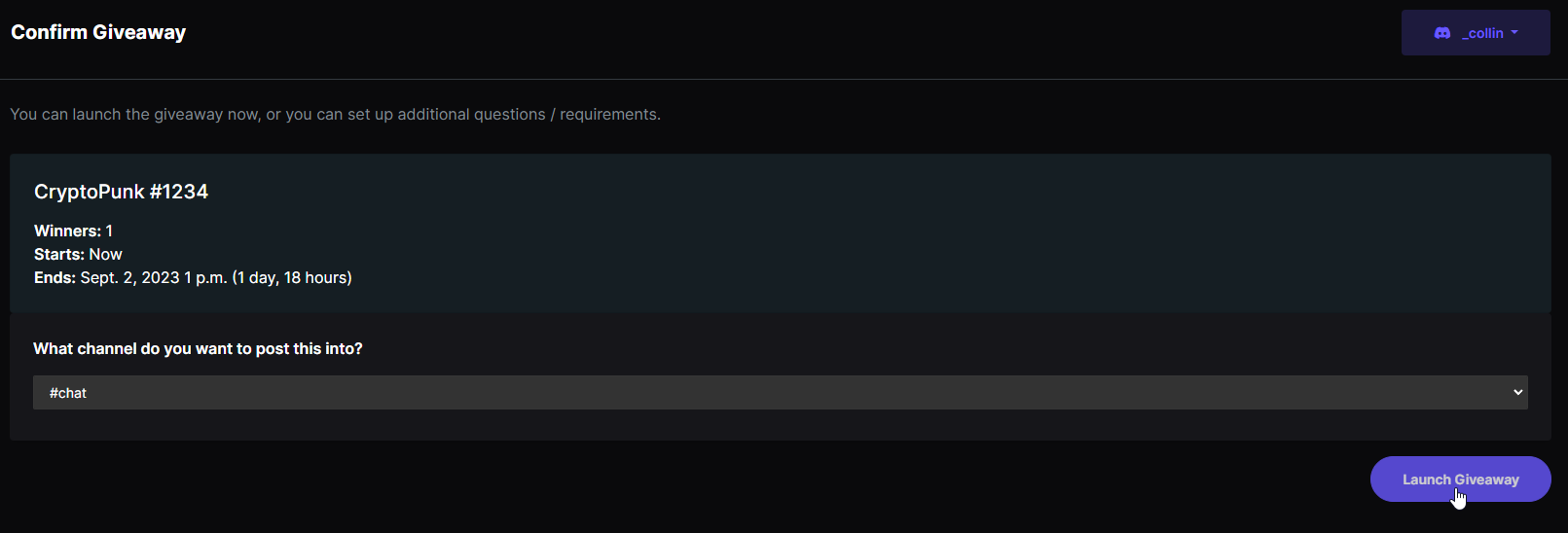
The confirm and draw screens show a When winners are drawn summary of exactly what will be rechecked for that giveaway.
Advanced settings
These are all optional.
- Start time: schedule the giveaway to be posted later.
- Required role: only members with this role can enter.
- Bonus entries by role: give members with certain roles extra chances to win. With Use Highest Weight on, a member gets their single best role's weight. With it off, the weights of all their roles add up.
- NFT collection: members get one entry for each item they hold from one of your verification collections, and must hold at least one to enter. You can use either a collection or roles, not both.
Managing a running giveaway
Open the giveaway from the Giveaways page. While it's running, you have three options:
- Edit: rename it, change its end time (for example, to extend it), change the number of winners, and adjust bonus entries. The Discord message updates to match, and the draw moves to the new end time. The required role, NFT collection and start time are locked once the giveaway is posted, so everyone who enters is held to the same requirements. Changes to bonus entries apply to new entries; members who already entered keep the chances they entered with.
- Cancel Giveaway: stop the giveaway without drawing any winners. Members can no longer enter, the Discord message says it was cancelled, and the entries stay visible in the dashboard. This can't be undone.
- Draw Winners Early: end it now and pick winners.
Creating a giveaway from Discord
Members with the Manage Server permission can type:
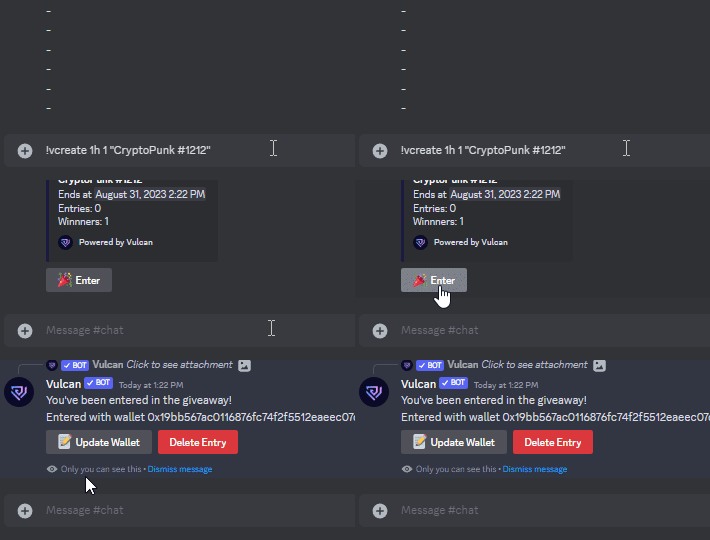
!vcreate <duration> <winners> "<prize>"
The duration is a number followed by s, m, h or d (up to 30 days), and winners must be between 1 and 100. For example, !vcreate 6h 1 "A cryptopunk" runs a 6-hour giveaway with one winner. Vulcan posts the giveaway and deletes your command message.
How members enter
Members press 🎉 Enter on the giveaway message.
- The first time they enter any giveaway, a member with more than one wallet picks which wallet to share if they win. Later entries use the same wallet.
- After entering, they can Update Wallet or Delete Entry until the giveaway ends.
- The message shows the live number of entries. It may take up to a minute to update.
- Pressing Enter after the end time, or on a cancelled giveaway, tells the member it's closed.
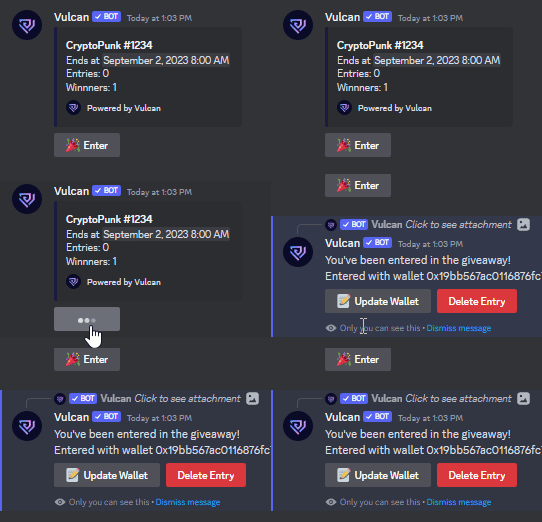
After entering, members can update their wallet or delete their entry.
Winners and results
The giveaway message is updated to list every winner, and a congratulations message pings each of them. Members press 🔎 View Results to see whether they won. For admins, the same button also shows a link to the dashboard and attaches a CSV of the winners.
If the results can't be shown
The winners are always saved first. If Discord refuses to show the results (for example, the message was deleted or Vulcan lost access to the channel), the giveaway shows Results pending, and Vulcan keeps retrying for a day. Fix the problem, then select Retry Publishing Winners on the entries page. The same winners are shown; nobody is redrawn.
Rerolling winners
If a winner can't claim the prize, open the giveaway's entries page and select Reroll Winners. You can:
- Replace selected winners: tick the winners to replace. They are marked disqualified and can't win this giveaway again, and the same number of new winners is drawn from members who haven't won.
- Redraw every winner: clear all winners and draw the full number again from all qualifying entries.
New winners are rechecked in the same way as the original draw, then announced in the channel.
Server managers can also reroll from Discord: !vredraw <giveaway message ID> redraws every winner, and !vredraw <giveaway message ID> @winner replaces only the mentioned winners. !vdraw <giveaway message ID> draws a giveaway immediately.
Giving winners a role
You can give every winner a Discord role, for example a Winner or OG role. Open a drawn giveaway's entries page and select Give Winners a Role, pick the role and select Give Role. Vulcan gives the role in the background while the page shows it's working; for a big giveaway this can take a minute or two, because Discord limits how fast roles can be given. When it's done, you're taken back to the winners, with how many got the role and anyone it couldn't give it to.
- You can leave the page while it runs. The giveaway's entries page says it's in progress, and shows the result when you come back.
- It only happens when you click the button. Vulcan never gives this role automatically, and never removes it.
- After a reroll, select Give Winners a Role again to give it to the new winners. Members who already have it keep it. Replaced winners keep the role too, so remove it from them in Discord if they shouldn't have it.
- Running it again never does any harm, so if anything stops it partway, select it again to finish.
- Vulcan needs the Manage Roles permission, and Vulcan's role must be above the role you give in Server Settings → Roles.
- Roles your verification rules manage aren't offered, because the next role check would take them back from winners who don't qualify.
- Only the server owner and members with Administrator or Manage Roles on Discord see this button. Team members you added on the Team page don't.
Viewing giveaways and entries
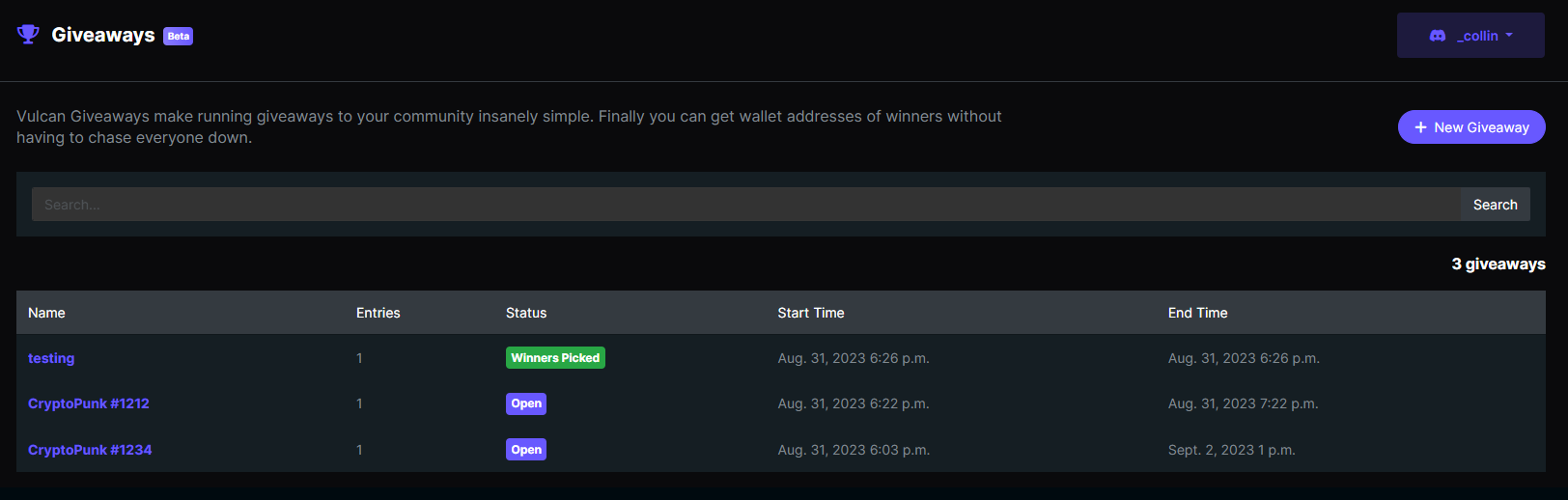
The Giveaways page lists every giveaway with its status: Not Started, Open, Closed, Results pending, Winners Picked or Cancelled. Select one to see its entries, with each member's wallet, number of entries and result.
Getting winners' wallet addresses
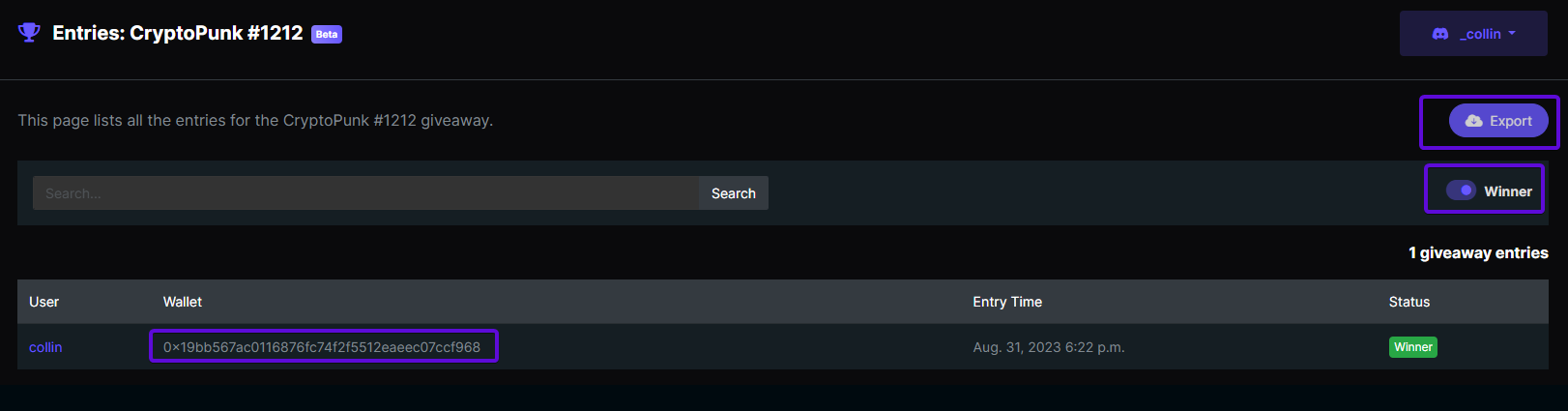
On a finished giveaway's entries page, turn on the Winner filter to list only the winners, or select Export to download a CSV of the winners and their wallets.
Deleting a giveaway
Deleting a giveaway removes it and its entries from Vulcan. An open giveaway's Discord message is marked as cancelled, and its buttons are removed. To stop a giveaway but keep its entries, cancel it instead.