Add or Remove Wallet
Registering a Traditional Wallet
Once a user clicks Start Verification, Vulcan will automatically scan for any wallets linked between the user's Discord account and PREMINT.
If the user does not have any wallets linked to PREMINT, they will need to register their account by clicking on one of the available options to verify their assets (these will vary from server to server).\ \ Option 1: Marketplace (OpenSea)
Note that OpenSea has changed their profile around. Use the main account bio, not the linked wallet bio.
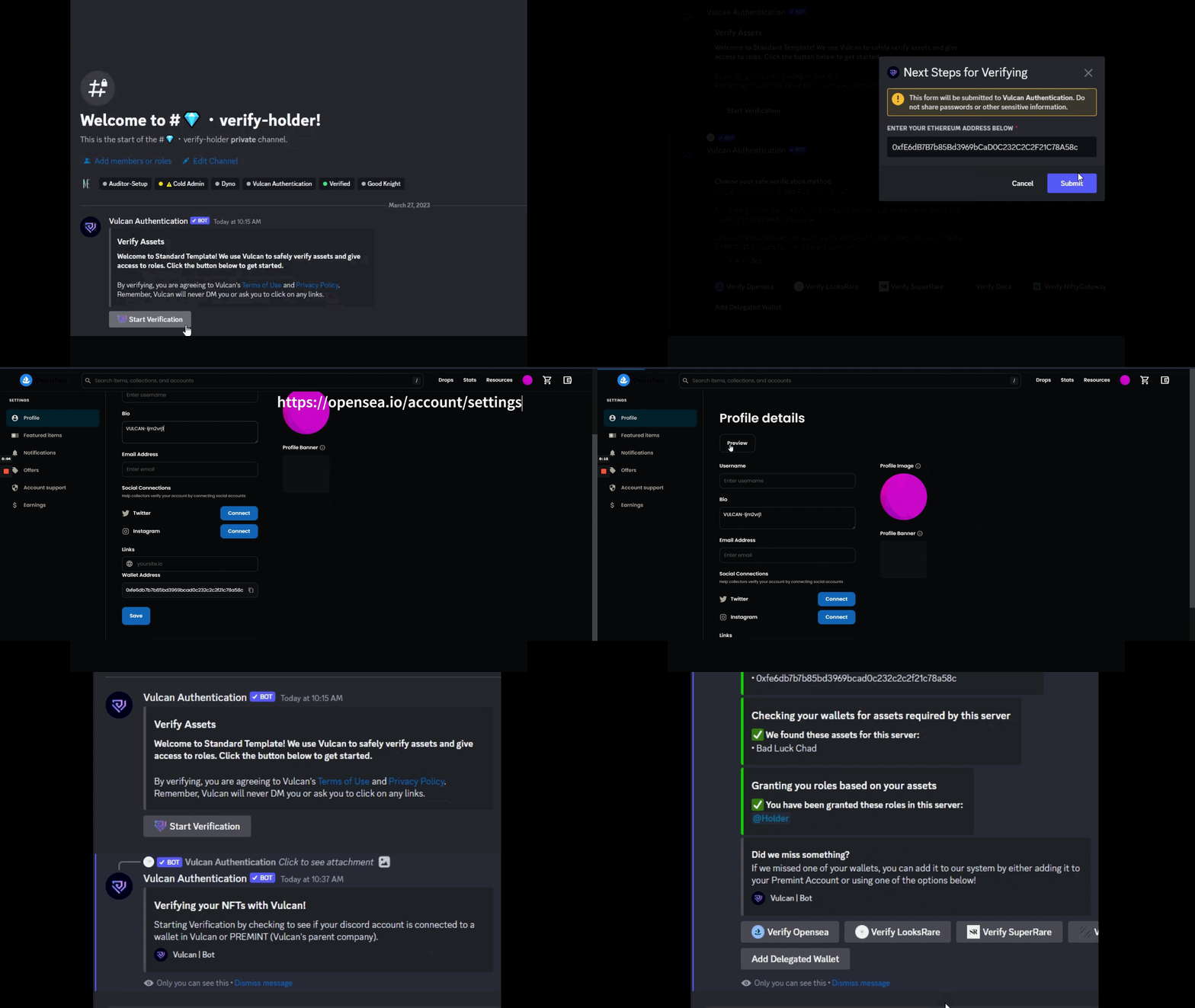
Once verified, the user will be granted all eligible roles in your server.
Option 2: Same-Wallet Tx
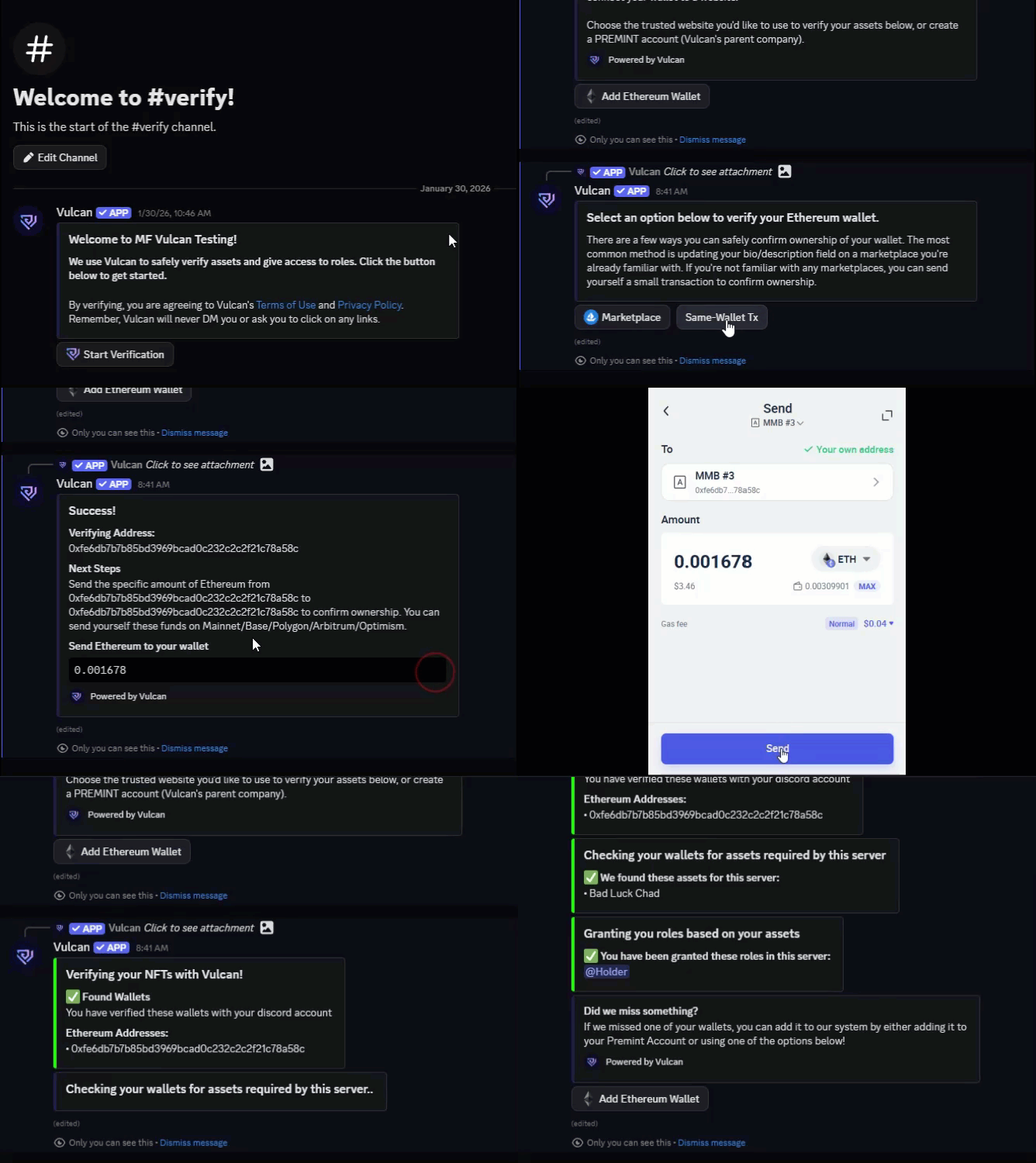
Click Same-Wallet Tx
Enter the wallet address you want to verify and click Submit.
Follow the bot's Next Steps prompt - send the specified amount from and to the same wallet (e.g., 0x...1234 → 0x...1234) on the chain of your choice.
The bot will confirm ownership with a Found Wallets message, link the wallet to your account, check your collections, and grant the appropriate role.
If the user would like to add a new wallet they would simply need to repeat either of the steps above.
Adding a Delegated Wallet
Complete the steps in #registering-a-traditional-wallet to register your HOT wallet with Vulcan
Once your HOT wallet has been registered, press the Start Verification button again
Vulcan will automatically scan your wallets for any FULL wallet delegations. If any are found they will be automatically imported into Vulcan and linked to your Discord account.
You must be using a v2 delegation from Delegate.xyz. V1 delegations are no longer able to be added via the new flow. Delegate.xyz has created a simple migration tool on their website.
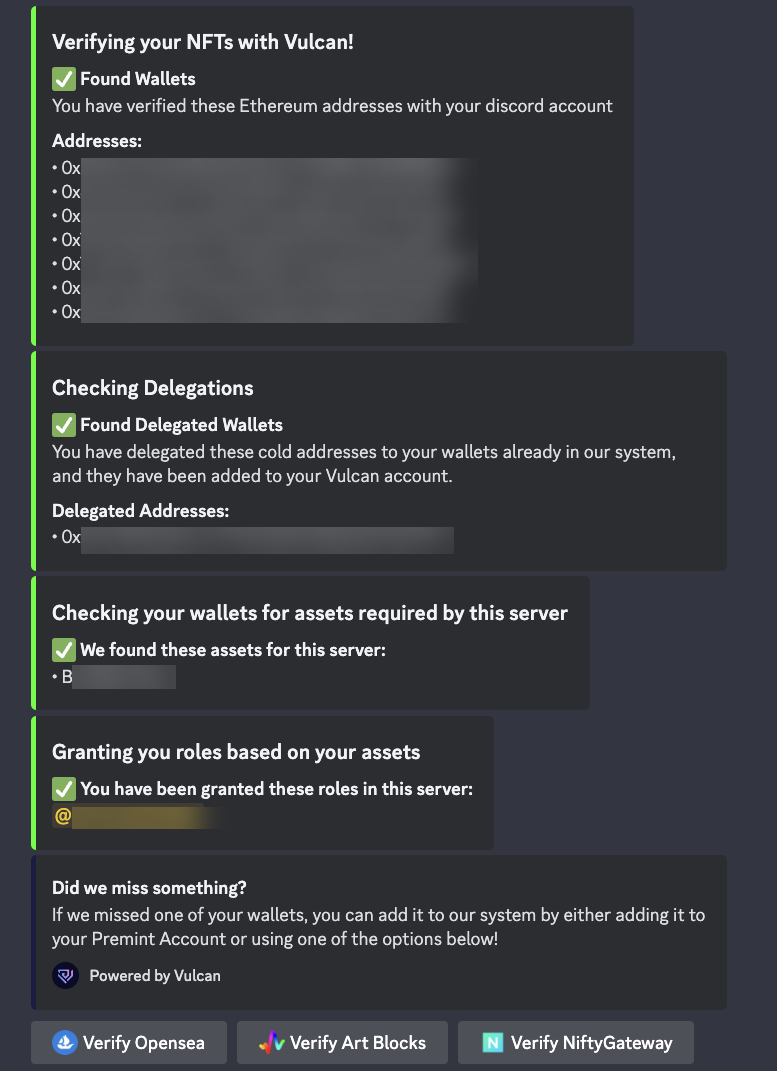
Successful delegated wallet import
If your wallet has delegations that are currently tied to a different Discord account (i.e. shared delegations), you will see a message in the flow and a Migrate Skipped Wallets button will appear.
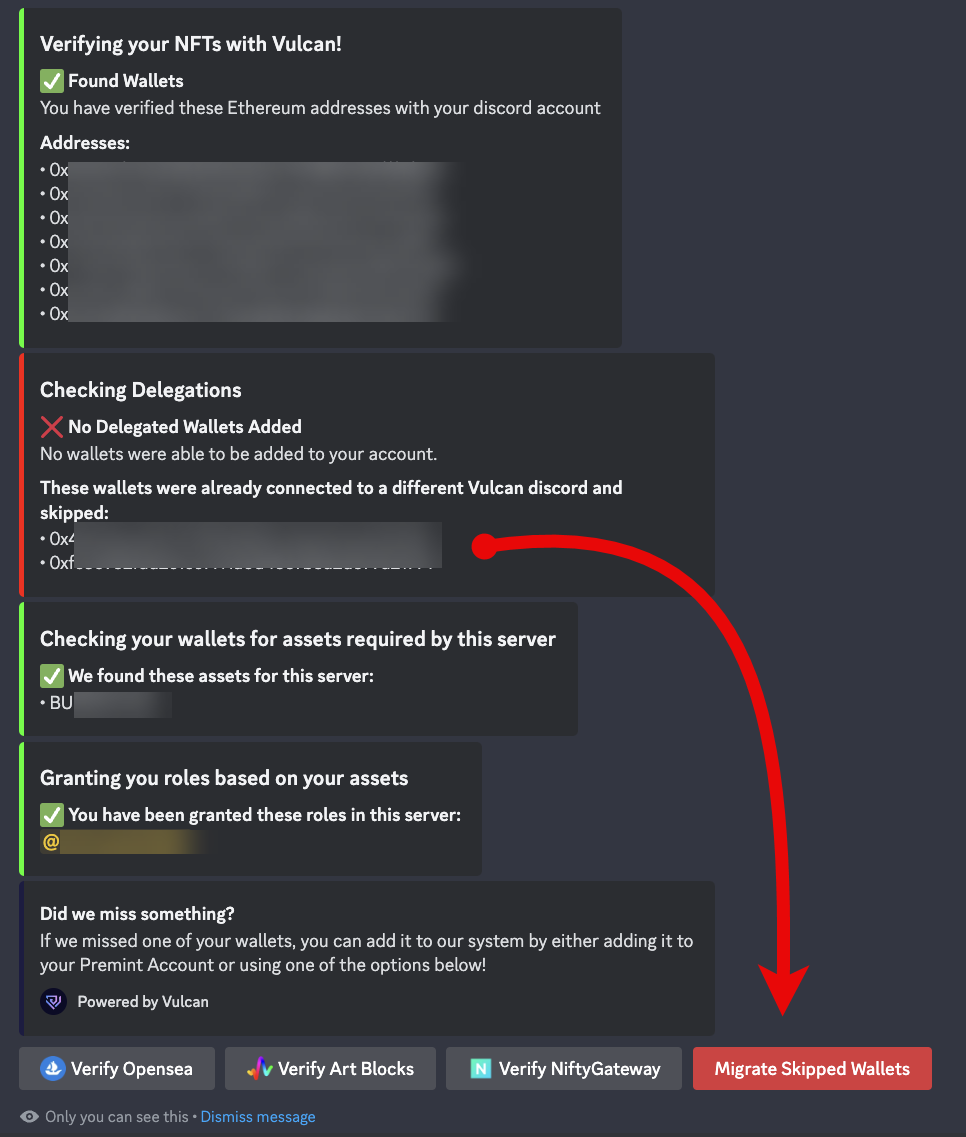
If successful, the cold wallet will be registered to your account.
Removing a Wallet
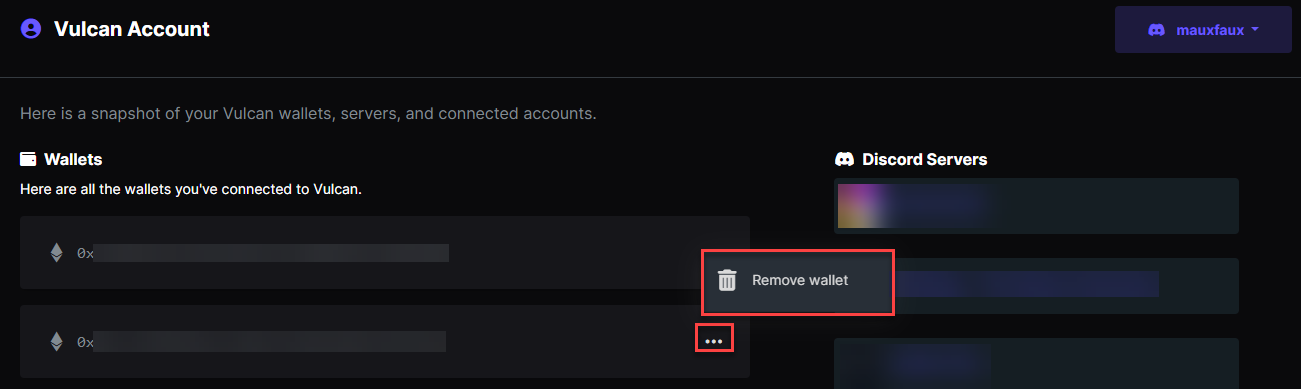
Head over to https://www.vulcan.xyz/account/
Click on the ellipsis (...) next to the wallet you want to remove then click Remove Wallet
Please note, when you remove your wallet, you will lose all the roles you were given with assets in that wallet.
If the wallet is linked to PREMINT, you must do one of the following from the PREMINT profile dashboard at https://www.premint.xyz/profile/
- a) remove that wallet from your PREMINT account
- b) disconnect your Discord account from the PREMINT account for that wallet